this post will be updated as I find more websites to add! please check with the original before reblogging to see if there’s an updated version, and message me with corrections or more suggestions if you have them!!
websites in red have explicitly forbidden the posting of NSFW content.websites in orange allow certain types of NSFW content or have questionable / unclear guidelines.
instagram.com – photo and video posts, excellent tag search
newgrounds.com – an oldie but a goodie, allows a ton of media types
piczel.tv – allows both streaming and posting art / photosets to a gallery
pixiv.net – huge anime art community, allows livestreaming
vero.co – app only, similar to insta but with MUCH more privacy control
chat or forum based
aminoapps.com – community-based, has blogs + chat, custom themes
discordapp.com – great chat app, text + voice, can join infinite servers
reddit.com – literally a community for everything, SO MANY CAT PHOTOS
18+ only
bdsmlr.com – microblogging + social media for people into kink
blogr.xxx – a tumblr clone created specifically for sharing porn
fetlife.com – considered one of the biggest kink communities online
libertine.center – beautiful + modern site for posting irl nsfw and kink stuff
thefetlibrary.com – for posting of erotic stories, replaces bdsmlibrary
paid platforms
patreon.com – subscription-based access to many diff types of content
typepad.com – similar to wordpress but with reblogging and a dash
up-and-coming platforms
pillowfort.io – closed beta. should function almost identically to tumblr but with many many improvements
poizen.me – development alpha. gorgeous website for artists to post art AND track comms
this one’s still early in development but looks incredibly promising as a platform and super pretty to look at!! go snap up a username before all the good ones are taken! favouritism what’s that
qink.co – pre-alpha. 18+ only. plans to be a kink-oriented replacement for tumblr.
defunct platforms
(so people will stop telling me i forgot them)
jux.com – shut down in 2014 due to lack of funds
shoandtell.me – now redirects to someone’s personal blog
soup.io – more or less closed down this year due to GDPR issues
ways to save your current tumblr posts
use the wayback machine! you do have to archive each page of your blog individually but once you do all the content, including media, will be saved exactly as it was at the moment you archived it.
wordpress allows you to directly import whole tumblr blogs, and if i recall correctly it’s something both dreamwidth and pillowfort have said they are working on.
tumblthree is a great tool with a ton of functions including downloading whole blogs, only posts tagged with a certain tag, all the posts you’ve liked, etc. etc. along with being able to download every type of media hosted on tumblr (pictures, videos, audio, everything). it also has a proper GUI so no computer knowledge required beyond downloading and running programs!
if you have some knowledge of computers you can try this github solution which uses a python script to download your whole blog to your computer. even if you don’t know anything about programming or the command line they give a very good beginners tutorial on how to use it so you should still give it a shot!
if that’s still a little daunting you can try soarcodes’ tumblr post that also has a decent tutorial!
here’s another python script that should allow you to archive all the images from your blog or your likes, though it requires some knowledge of python and the command line or very very good google skills.
some notes
edit: please stop commenting on this post to self-promote your porn accounts on other sites. those replies / reblogs will be deleted or hidden.
please note that every site on this list will have pros and cons, and i haven’t listed them here since this post would be a mile long otherwise. please do your research before moving completely over to another site in case they have policies you disagree with.
also, because I see a lot of misinformed people ranting about this: deviantart does not own the art you post. some years ago hot topic stole a ton of art from DA and sold it on merchandise and people assumed that DA gave them permission to do it despite there being literally zero evidence for that claim. DA explictly states in their TOS that you retain copyright and sole license of the art you post.
and related, mastodon does not allow or condone CP or pedophilia. the people spreading this info are misinformed about what mastodon is. it is not an exact twitter clone; anyone anywhere can host a mastodon instance using their personal computer as a server, which means mastodon as a company can’t do jack shit to moderate them. what they DO is permanently block all users from every other instance from viewing or interacting with that instance, and add that instance to a publicly viewable list along with the reason for the block. please give their post about anti-abuse measures a read before making snap judgements.
post version 5.1, 2018-12-04 23:46 AST
Gonna add that Dreamwidth has specifically said they’re working on their image hosting quota!
When you realize that joining the fandom has ruined you
Fandom hell in general
Yes.
This^^^ just… ALL OF THIS.
Being in so many fandoms that you don’t even know what’s going on
THIS IS THE SKULDUGGERY FUCKING PLEASANT FANDOM IN ONE POST!!
Trying to recruit people to your fandom
Annnnnnndddd it’s back
Being in a fandom which has so many antis
I’ve probably reblogged this before, but that was before these great additions.
Being in a fandom that actually works together
Why is this so true? All of it.
being in a fanbase but all your mutuals suddenly turn into Kpop blogs
I always enjoy it when a good post comes around again and has been improved by the reblogs like the years for a fine wine.
Being in a fandom when shit goes down and everyone has different opinions
When you are in a fandom and don’t care for others people opinion…..even if they are right…(believe me, I have met several of those)
Being in a fandom you never meant to join
I love this. and it’s gotten better
After abandoning a fandom you’re still a little bit emotionally invested in….
All of these are me. Lol
Being in a fandom on Tumblr
And it reached its epic conclusion
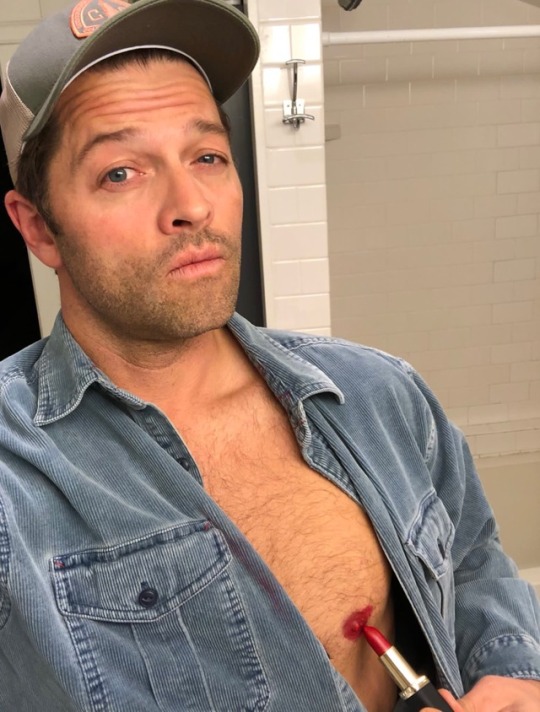
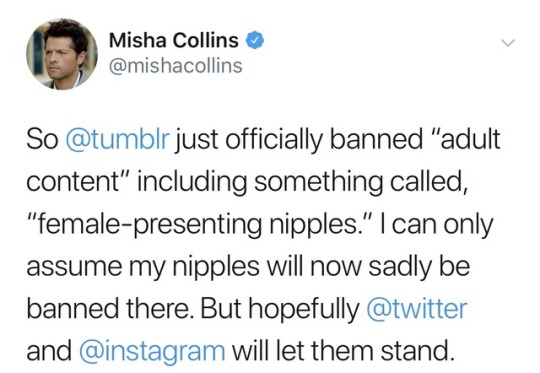
For some reason I feel the urge to reblog as many nipplish jokes as I can find. It’s in my personality to make jokes about things that piss me off. The sexism in banning nipples only when they are attached to a woman… What ever reason is realy behind this move on tumblr’s part, the misogyny jumped out.
Tumblr has given me a place to hide out when offline life was painfull and hard to take. I’ve run into some lovely people here. Nothing lasts for ever, not the bad, not the good. But I do hope some of the good here can hang on for a little longer.
I will continue to reblog photography that I love and to try and do what I can to get artists who’s work I love seen. That is really all I do, no original content, just reblogging, commenting on artwork like photography, illustrations and fanfic.
To everybody who is kicked out or walking out, thank you for your help. In all the ways you gave it either to me or others. By commenting, helping or sharing your work.
Hey all, I know there’s a lot of what the heck is going on issue, and here’s some information I gathered:
You can post, people can see it on their dash, but when you go to a blog, it is not on their first page.
You can only access it in their archives.
Or on another page, but it is out of order.
This is frustrating, especially if you’re NOT an explicit blog.
As a content creator, this is extra frustrating.
I’m positive this is a bug as they fix the filtering systems, however, here’s what I suggest in the meantime:
Stop your Queue/Don’t post new creative content (or do so, but know it won’t show on your first page)
Update your bio to let followers know that you are indeed active and where to find new posts
Send an email to staff, such as this:
Hello,
While my recent posts appear on the dashboard, they are not appearing on the first page of my blog. Instead, they can only be accessed through the archive or on other pages, but out of order. Is this currently a sitewide bug due to correcting the filtering system? Have I been muted, and if so, what would be the reason for this and what can I do to correct it? As a content creator this is detrimental.
Thank you and best regards,
(Your name)
I’m sure this will be fixed as it appears to be a widespread issue. But until then, let’s stay calm.
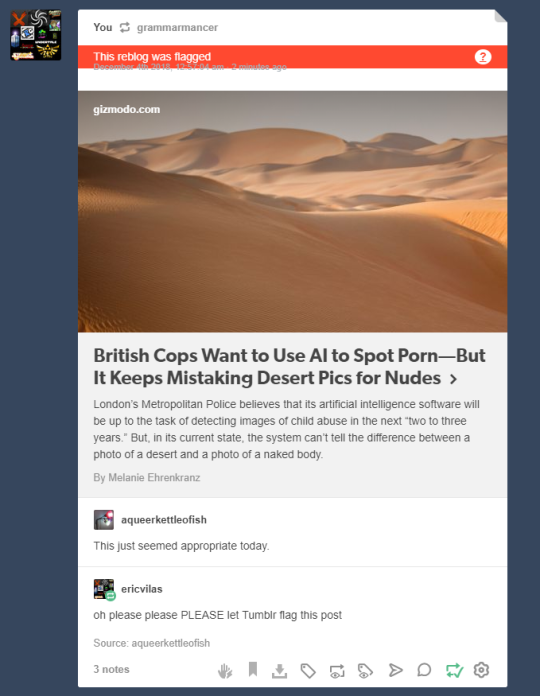
Okay, folks. So. Tumblr’s jumped the shark in a big way, and I’m not even just talking about indiscriminately blocking all “adult” content on a platform that IS, in fact, primarily 18+.
Many blogs, like the wonderful @blackkatmagic , that are not especially NSFW have vanished.
(And I for one LIKE being able to go to curated porn blogs run by actual people and have a chance of finding stuff to my taste, it was one of the things that kept me on this hellsite, but that’s another issue entirely.)
I know lots of people are talking about migrating, but none of us are sure to where yet. Pillowfort seems to be an option, some people are talking about Twitter. But for now, it’s a mess, and even if we knew where we were going, it’s often a huge process, and a lot of us have stuff on tumblr that ONLY exists there.
One possible quick solution to save your blogs, both NSFW and personal, is to import it to WordPress. I found this solution through from frantic googling on how to save an entire blog, text posts an all. There are several apps for downloading all the pictures from a tumblr, (Plently for Windows, but only a few paid ones for mac, of which Tumbelog Picture Downloader is working for me so far) but this is the only solution I’ve seen so far that allows you to save EVERYTHING. I downloaded my NSFW blog in like 10 min. My regular blog, which is significantly larger, is in the process of importing, but I don’t anticipate any problems. I will, of course, update you if I have any.
This tutorial I found worked really easily. http://quickguide (.) tumblr (.) com/post/39780378703/backing-up-your-tumblr-blog-to-wordpress
I put parenthesis around the .’s like we’re back in FF-Hell, just in case tumblr’s new thing about outgoing links kicks in. You know what to do.
To break it down, just in case:
Sign up for a WordPress.com account at wordpress (.) com/start
You’ll have to create an account, with your email, a username, and a password. They should send you a confirmation email immediately, check it, activate it, and you’re good to go.
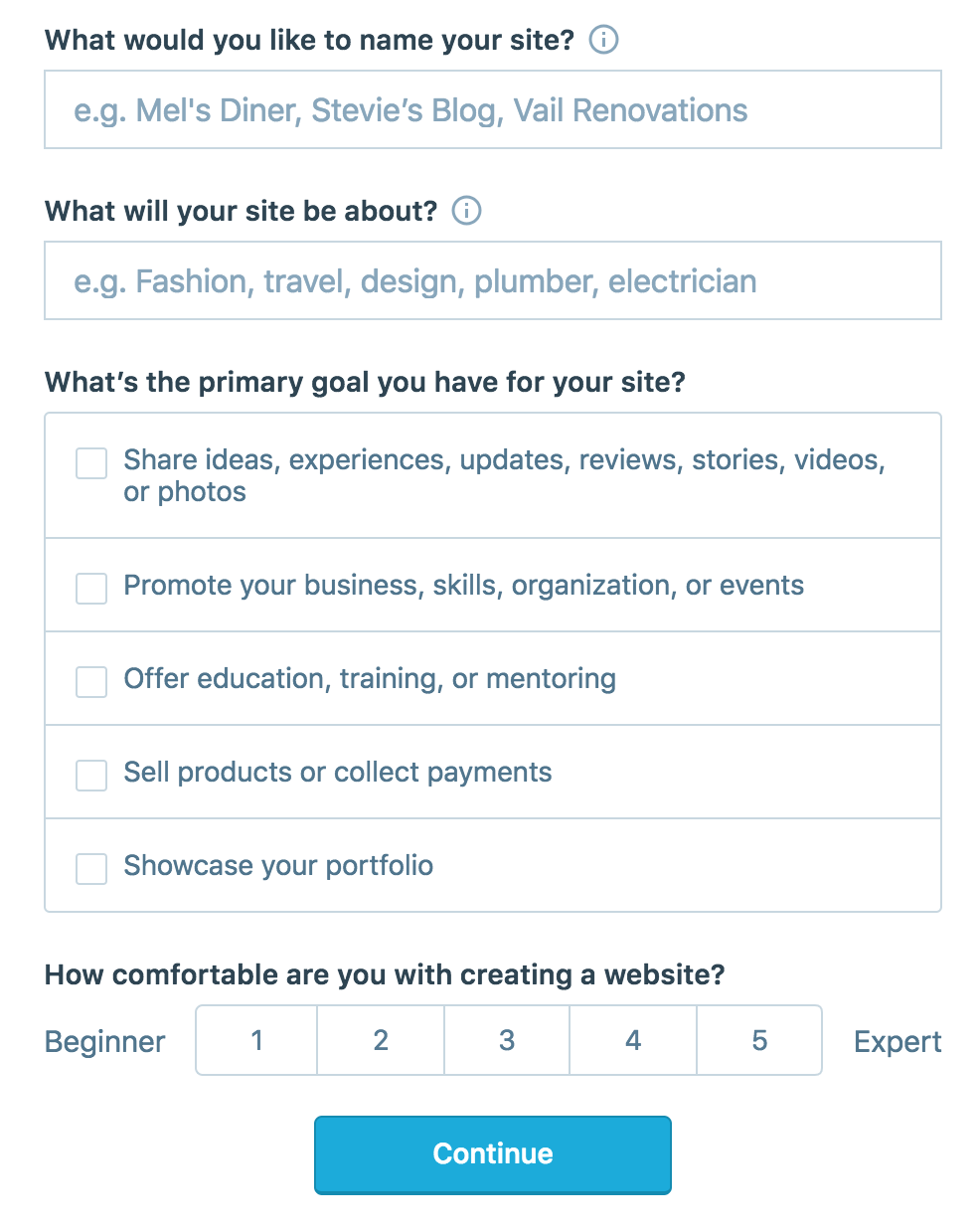
On the site, it will ask you for a site name. That page asks you a bunch of other information too, but you only have to fill out the site name.
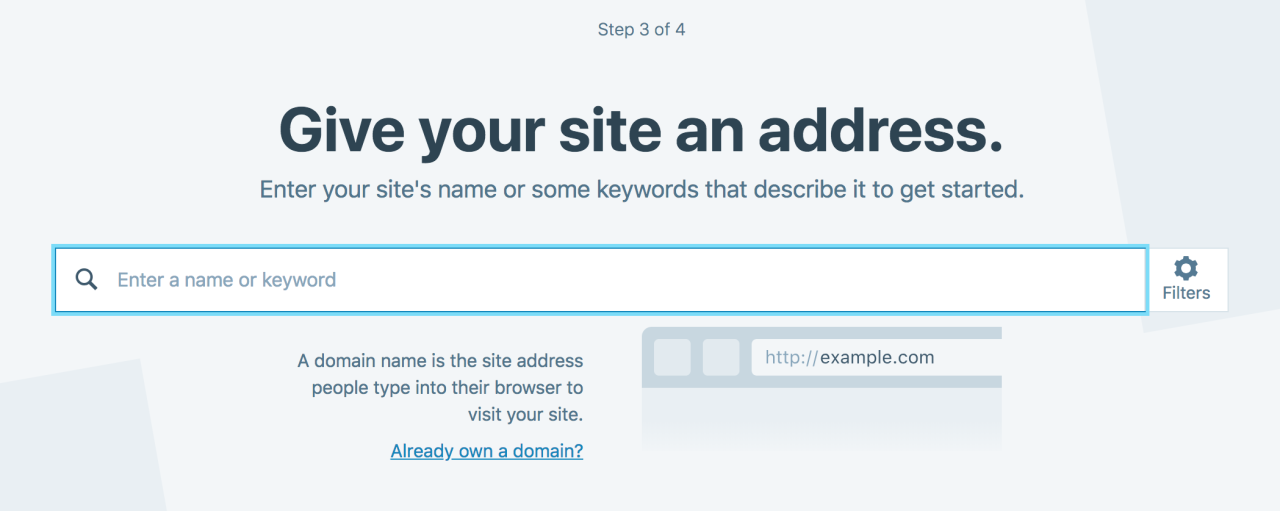
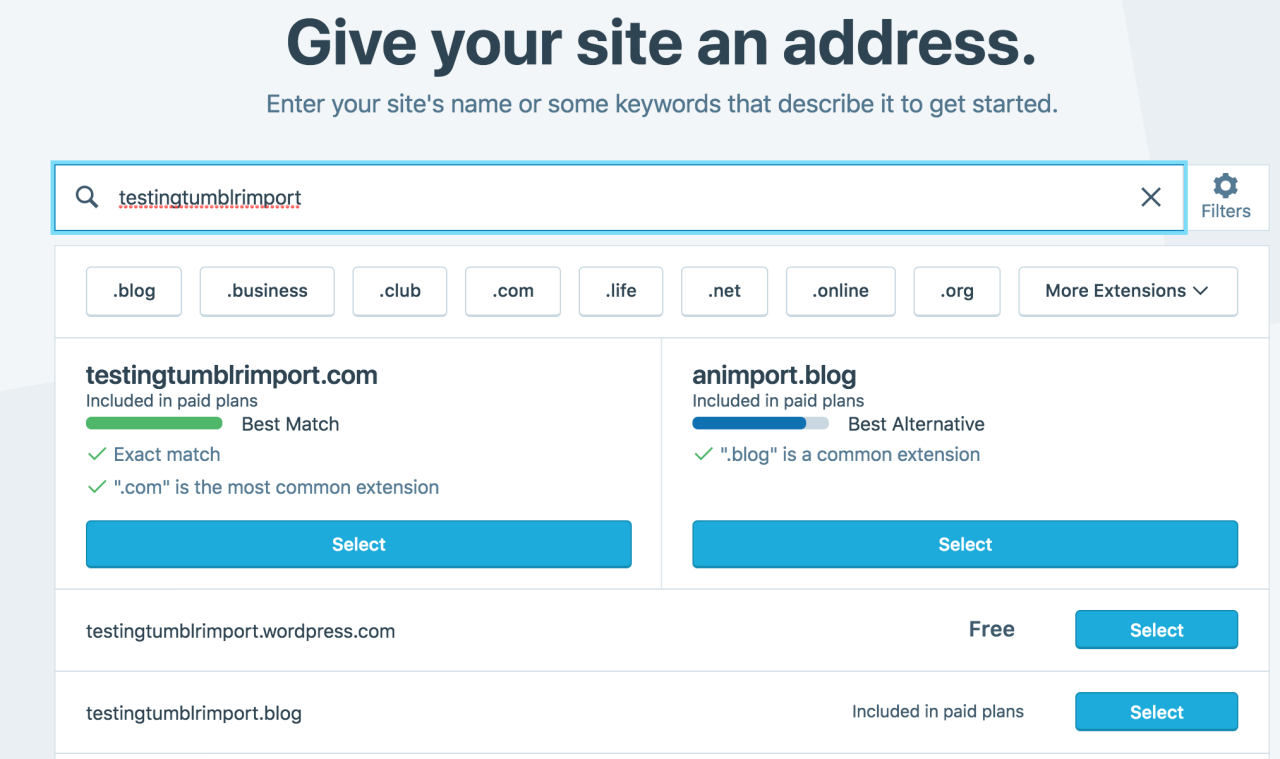
Then you have to give your site a URL. If you’re lucky, your tumblr URL is still available, if not you’ll have to come up with another one, sorry.
It will tell you if that option is still available for free.
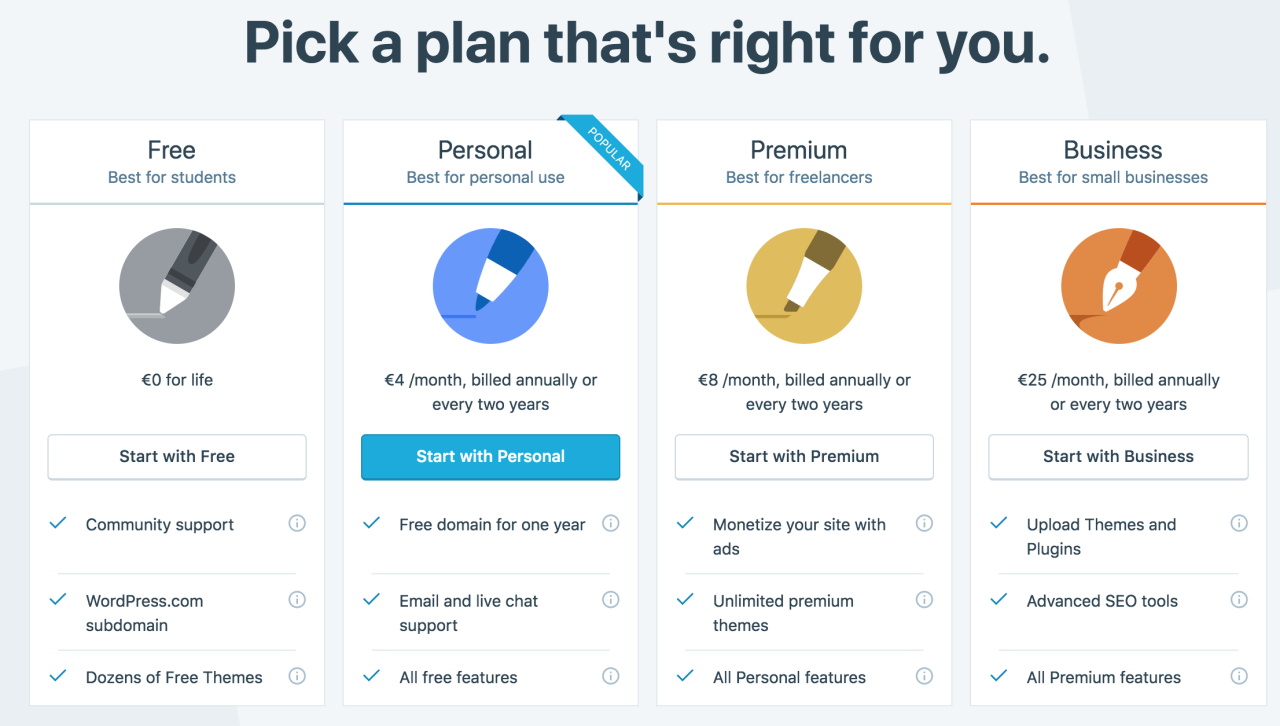
Then it will ask you to pick a plan. Free is really good enough, I swear.
Now you’re set up! You can import your tumblr!
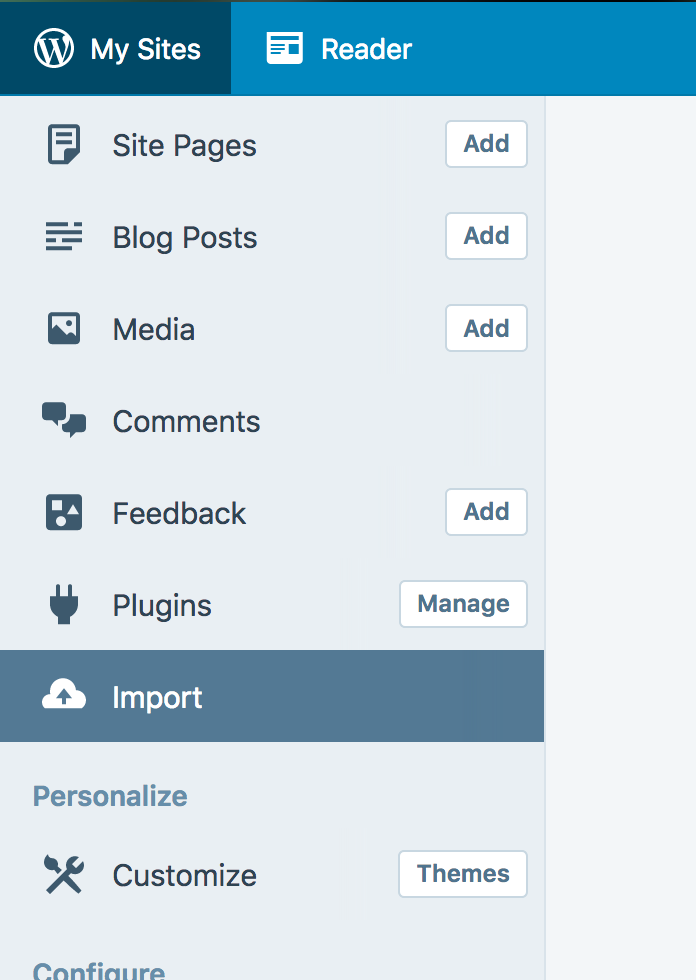
The only differences from the linked tutorial are that the Import button is now on the first level menu, not in tools.
Hit Import, then you have to follow the link for “other importers” at the bottom, to find the option for Tumblr.
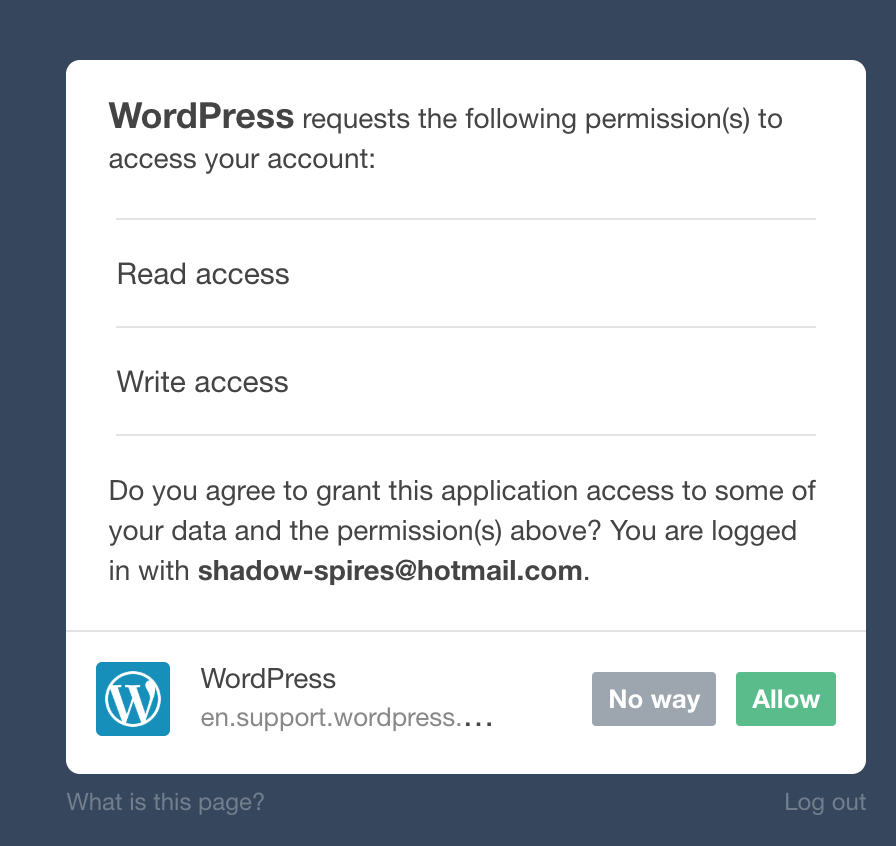
Then you’ll have to sign in with tumblr, using your normal tumblr credentials. You’ll be redirected there automatically.
You’ll have to allow WordPress permissions on your blog.
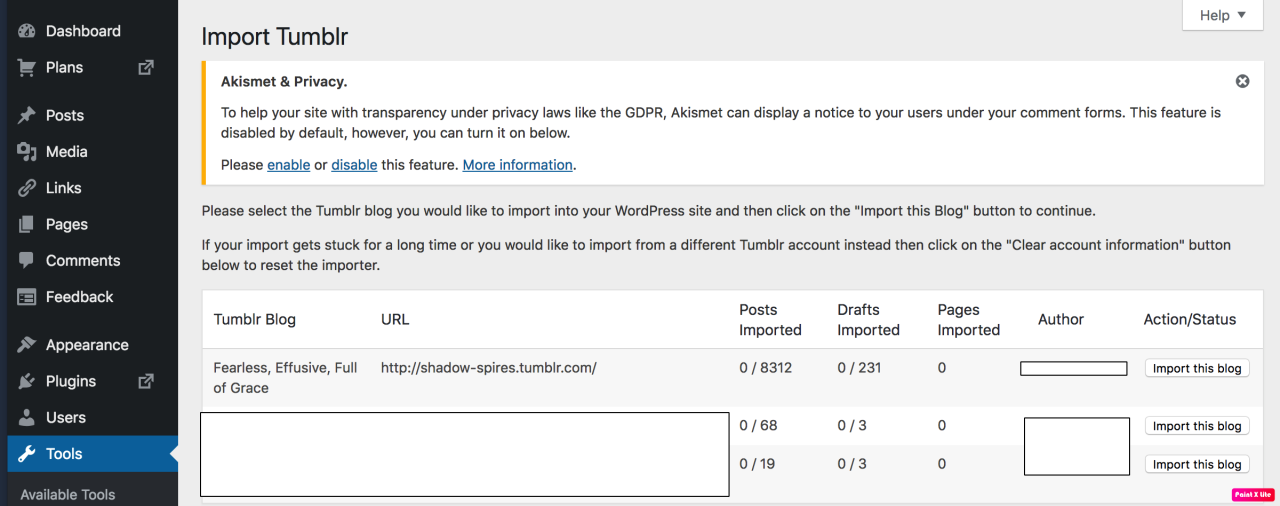
Then your blogs, including all your sideblogs, will show up in wordpress.
Hit import, wait a WHILE depending on the size of your blog, and you’re done!
ALSO!!
I made my NSFW blog private for now, since I don’t know WP’s policy on NSFW.
This means that to access it, someone has to have an account and request access. But hey, part of our problem on this hellsite has been people going places they aren’t wanted, so I don’t personally see this as a bad thing. They can send a request from the landing site on your blog, you get an email, click a link in the email, and PRESTO, they have access.
To make it private, go to Settings > Reading > Site Visibility. Go back and check, it took me changing the setting twice for it to actually stick.
tl;dr, you can import your entire blog to wordpress in just a few steps.
I’m going to tag the hell out of this, in no particular order. PLEASE reblog this and spread the word so people know it’s an option. If you’re having trouble, PM me, and I’m happy to help.
this post will be updated as I find more websites to add! please check with the original before reblogging to see if there’s an updated version, and message me with more suggestions if you have them!!
for general use
myspace.com – yes, it still exists, i’m just as surprised as you
soup.io – very similar to tumblr, plus it can import your tumblr blog
twitter.com – allows posting both text and photos in sets, allows retweets
livejournal.com – still an option, but questionably safe for fandom
wordpress.com – old and well-established, often considered the default
geared towards artists and photographers
deviantart.com – huge community, allows posting art + sorting into folders
flickr.com – great community for photographers, can join groups
furaffinity.net – similar to DA but for furries, easy to display commish info
instagram.com – photo and video posts, excellent tag search
piczel.tv – allows both streaming and posting art / photosets to a gallery
pixiv.net – huge anime art community, allows livestreaming
paid platforms
patreon.com – subscription-based access to many diff types of content
pillowfort.io – still in beta, but should function almost identically to tumblr
typepad.com – similar to wordpress but with reblogging and a dash
ways to save your current tumblr posts
use the wayback machine! you do have to archive each page of your blog individually but once you do all the content, including media, will be saved exactly as it was at the moment you archived it.
wordpress and soup both allow you to directly import whole tumblr blogs, and if i recall correctly it’s something both dreamwidth and pillowfort have said they are working on.
if you have some knowledge of computers you can try this github solution which uses a python script to download your whole blog to your computer.
even if you don’t know anything about programming or the command line
they give a very good beginners tutorial on how to use it so you should still give it a shot!




















 Create a mess